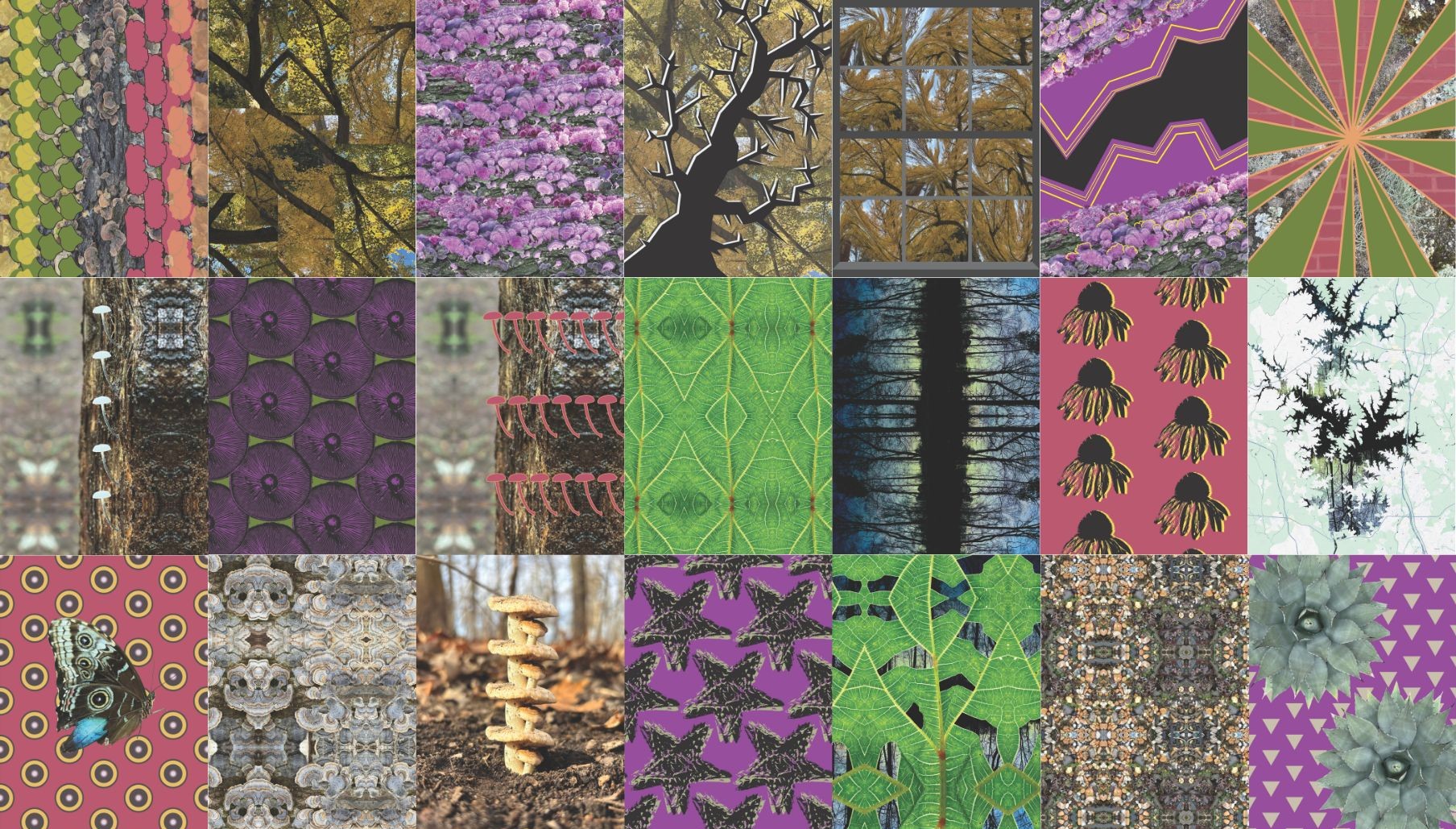
Description
My goal for this project was to create 21 works with Adobe Illustrator and Photoshop that center on the themes of repetition and simplification. Looking for repeating patterns in my surroundings has long been a way of finding calm in the midst of overwhelm. My hope is that this project gives viewers a glimpse into the meditative and calming effects of this kind of visual stimming. I especially enjoy the way repetition and simplification can help one slow down and notice the beauty in the small details.
Creative Process
I began this project by brainstorming what words I wanted to use to focus my variations. When I had settled on “repetition” and “simplification”, I searched through my collection of nature photos to find images that had patterns that I wanted to explore further.
With my collection of images, I made many sketches to explore ways to focus on a specific detail in the image I wanted to emphasize. Below are some of my sketches for the variations.
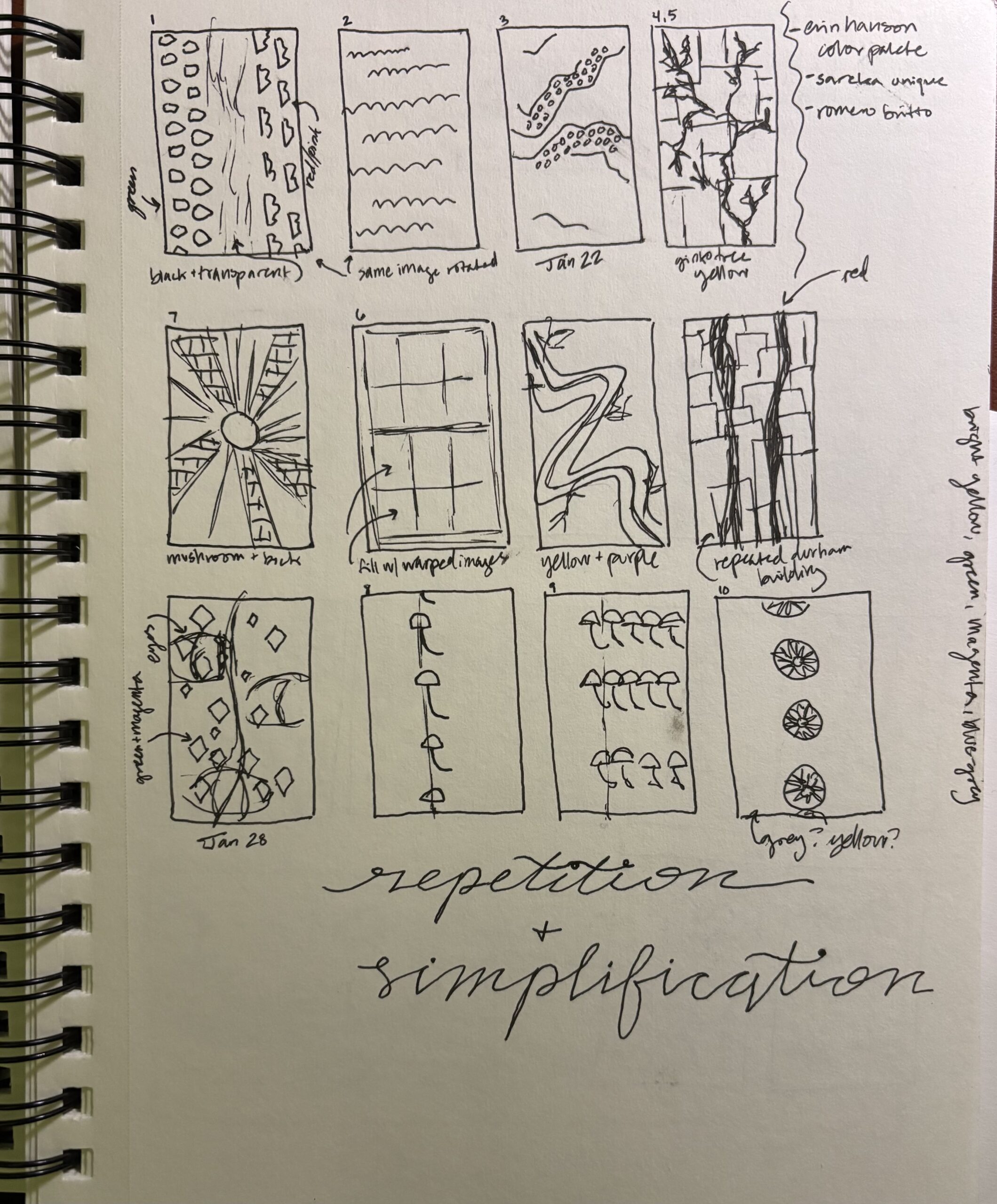
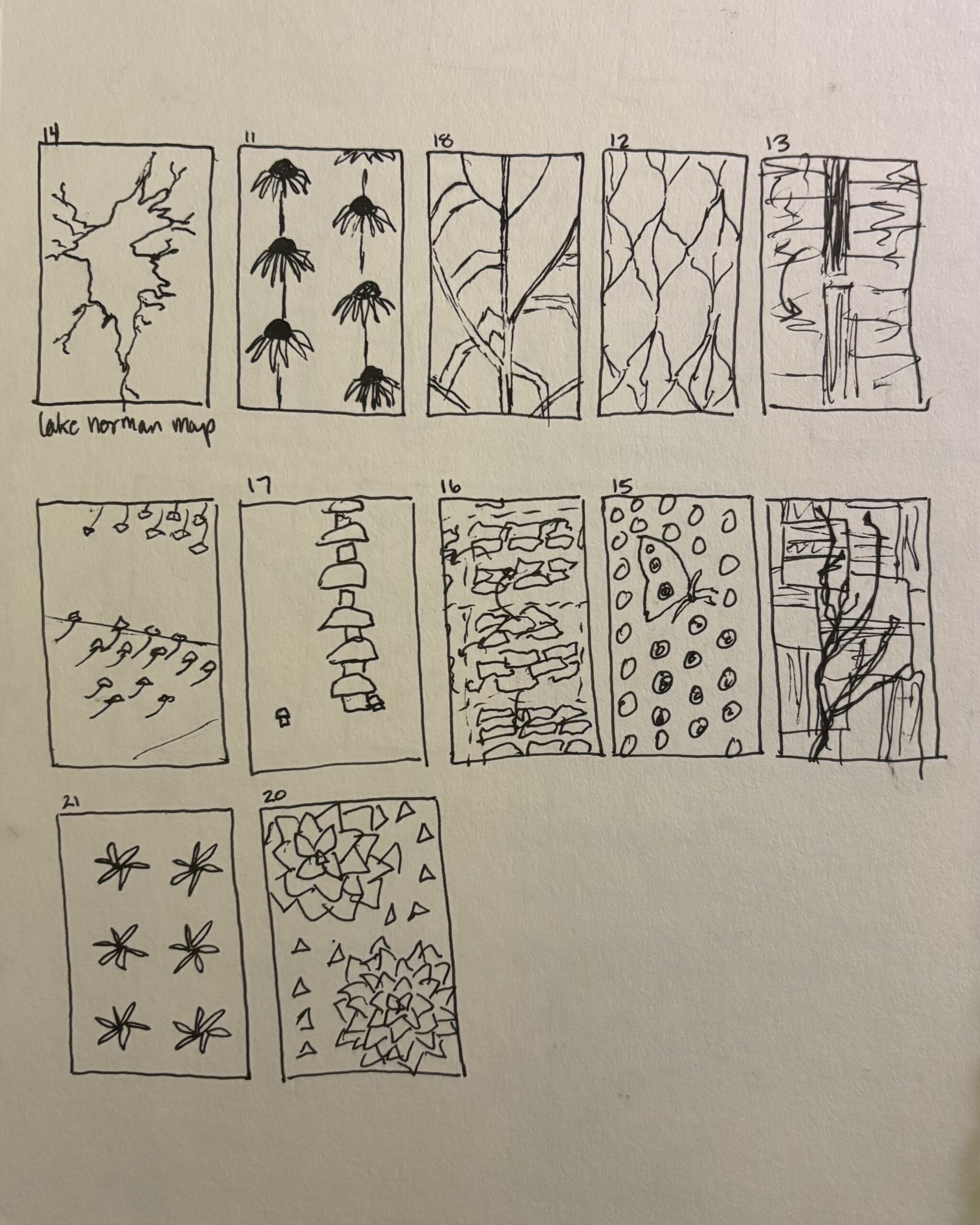
While creating the variations in Illustrator and Photoshop, I learned several new techniques. Two of my favorites were creating repeating patterns in Illustrator (such as in the butterfly variation) and warping images in Photoshop (such as in the window of ginkgo trees variation).
Annotated Bibliography
My CG Tutor. “How to Warp an Image in Photoshop.” YouTube. https://www.youtube.com/watch?v=8LaqRIwGSuU.
- I used this video when learning how to warp images in Photoshop.
Dansky. “How to Create Patterns in Illustrator Tutorial.” YouTube. https://www.youtube.com/watch?v=n34-YmNJMrc.
- This video taught me how to create the patterns in Illustrator I used for several of my variations.
Sareka Unique. https://sarekaunique.com/pages/patterns.
- I was inspired by the color palates in some of Sareka’s work, especially the way she has patterns with pinks and purples contrasting with yellow.
Romero Britto. https://www.shopbritto.com/collections/original-paintings?srsltid=AfmBOoq0x-FH3Qb3olm1RlchS_atM6NzHZ025vLptrWIHck2Vqkavt3G.
- I like how Romero uses pattern in his artwork, and this inspired some of the patterns I created in my 21 Variations.
